
Introduction
What Defines an Engaging Virtual Classroom?
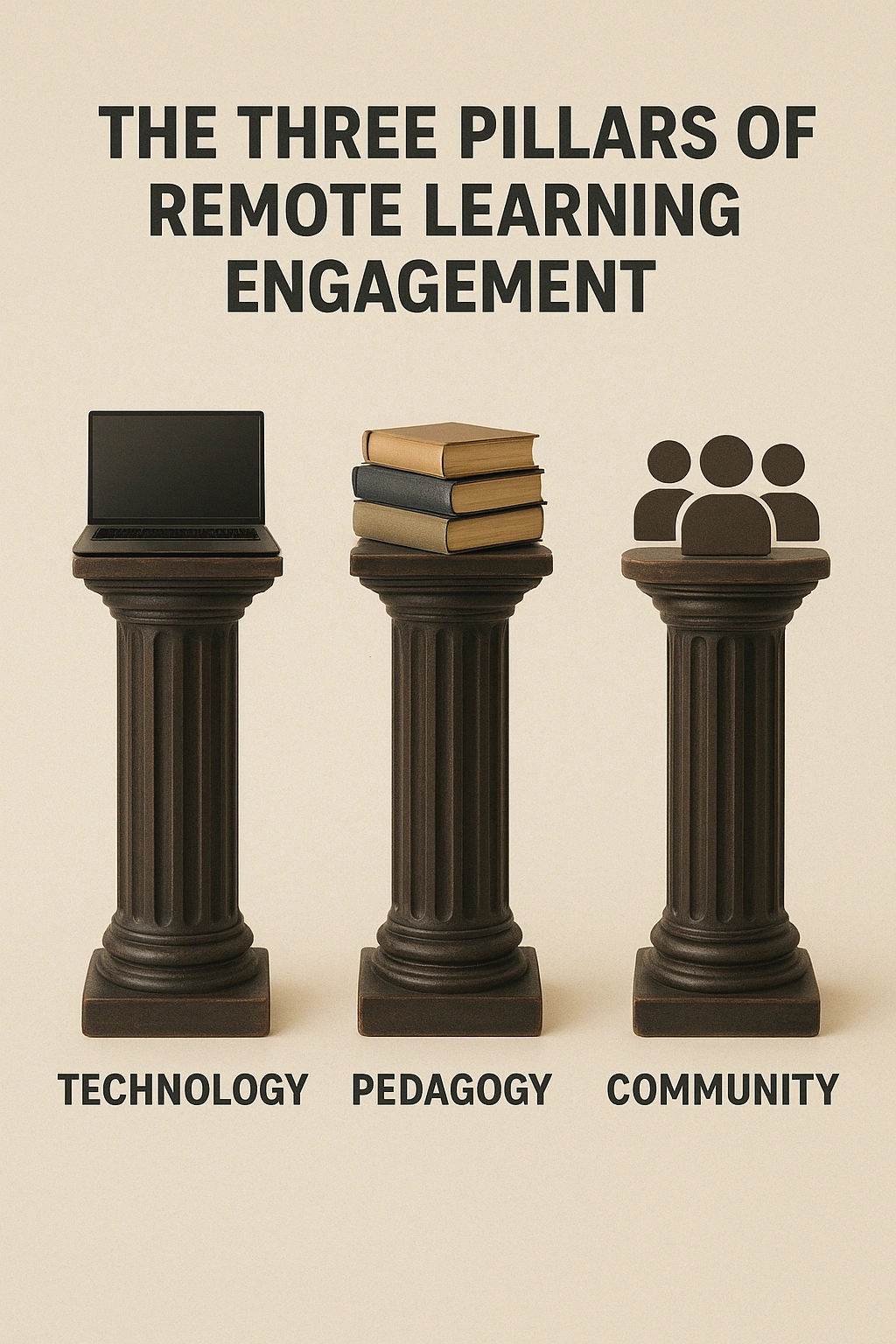
An engaging virtual classroom is a live, synchronous online learning environment where learners are not passive recipients of information but active co-creators of the educational experience. It moves beyond the one-way “sage on the stage” model and leverages technology to foster a multi-directional flow of communication and collaboration between the instructor and learners, and among the learners themselves. It’s an ecosystem built on three pillars: purposeful technology integration, learner-centered pedagogy, and a strong sense of community. With the online learning industry continuing its massive growth trajectory, mastering the art of engagement is no longer a niche skill for tech-savvy educators; it’s a core competency for anyone involved in teaching or training in 2025.

Why Engagement is the Linchpin of Successful Remote Learning
It Dramatically Improves Knowledge Retention
The “learning pyramid” model suggests that learners retain as little as 5% of what they hear in a lecture, but up to 75% when they learn by doing. Interactive methods like group discussions, problem-solving, and peer teaching—all hallmarks of an engaged classroom—transform passive listening into active participation, leading to deeper understanding and long-term retention.
It Reduces Attrition and Boosts Completion Rates
One of the biggest challenges in online education is the high dropout rate. A key driver of this is a feeling of isolation and disconnection. An engaging classroom that fosters a sense of community and belonging makes learners feel seen, heard, and supported, which is a powerful motivator for them to persist and complete their course.
It Develops Critical 21st-Century Skills
The modern workplace demands skills like collaboration, communication, and critical thinking. A passive lecture format does little to develop these. In contrast, an engaging virtual classroom that utilizes breakout rooms for teamwork and chat for discussion actively cultivates these essential “soft skills,” better preparing learners for their careers. To explore more about professional skills, check out the resources at Infoinaja.
The 3 Pillars of an Engaging Virtual Classroom
A successful virtual class is built upon a foundation of intentional design. Focus on these three core pillars.
Pillar 1: Pedagogy (The “How” of Teaching)
You cannot simply transplant an in-person lecture into a virtual setting.
- Flip Your Classroom: Record the core lecture content and have students watch it *before* the live session. Use the precious synchronous time for what it’s best for: discussion, Q&A, and problem-solving.
- The 10-Minute Rule: Never lecture for more than 10 minutes without some form of interaction. This could be a poll, a question in the chat, or a quick collaborative activity.
Pillar 2: Technology (The Tools of Engagement)
Use technology as a tool for connection, not just content delivery.
- Master Your Platform’s Tools: Become an expert in the interactive features of your primary platform (e.g., Zoom’s polls, breakout rooms, and annotations).
- Integrate Third-Party Tools: Use tools like Miro for collaborative brainstorming, Mentimeter for dynamic presentations and polls, and Kahoot! for fun, gamified quizzes.
Pillar 3: Presence (The Human Element)
Learners need to feel connected to a real person, not just a screen.
- Be an Active Facilitator: Your role shifts from lecturer to facilitator. Move between breakout rooms, actively monitor and respond to the chat, and use students’ names.
- Model the Behavior You Want: Keep your camera on, use expressive body language, and show genuine enthusiasm. Your energy is contagious, even through a screen.
Comparison: A Toolkit for Virtual Engagement
Choosing the right tool depends on your specific engagement goal. Here’s a look at some of the best options.
| Tool | Primary Function | Best For |
|---|---|---|
| Mentimeter | Live Polling & Presentations | Quickly gathering audience feedback, creating word clouds, and running anonymous Q&A sessions. |
| Miro | Collaborative Whiteboard | Complex group brainstorming, mind mapping, and project planning activities that require a large canvas. |
| Zoom Breakout Rooms | Small Group Discussion | Splitting a large class into small, manageable groups for case study analysis, problem-solving, or peer feedback. |
Common Mistakes That Kill Engagement
- The Unending Monologue: Talking for more than 10-15 minutes without any form of interaction is the number one cause of students tuning out.
- Ignoring the Chat: The chat is the digital lifeline of your classroom. Ignoring it makes students feel unheard. Assign a “chat moderator” or build in specific pauses to address comments and questions.
- Cognitive Overload: Bombarding students with too many tools, overly dense slides, and back-to-back activities without time to process can be just as disengaging as a boring lecture.
Expert Tips & Best Practices

- Start with a “Soft Open”: Open the virtual room 5-10 minutes early with some music playing. This allows learners to trickle in, test their tech, and engage in informal chat before the session officially begins.
- Use the “Think-Pair-Share” Model: Pose a question. Give learners a minute to think individually (Think). Send them to breakout rooms for 2-3 minutes to discuss with a partner (Pair). Bring them back to the main room to share key insights (Share).
- Create a “Question Parking Lot”: Use a collaborative tool like Google Jamboard or Miro as a “parking lot” where learners can post questions at any time. This prevents interruptions while ensuring all questions are captured and addressed.
“The best virtual facilitators are obsessed with one question: ‘What is my audience doing right now?’ If the answer is ‘just listening,’ you’re losing them. You have to design for active participation, not passive consumption,” says a corporate training expert from a major tech company.
Frequently Asked Questions (FAQ)
Q: What is the ideal length for a live virtual class session?
A: For optimal engagement, live sessions in virtual classrooms should ideally be between 60 to 90 minutes. If a longer session is necessary, it’s crucial to build in a 10-minute break every hour to combat screen fatigue and allow learners to refresh.
Q: How can I engage students who keep their cameras off?
A: While encouraging cameras-on is ideal, don’t force it as some may have valid reasons. Engage them through other channels: use polls, ask them to respond in the chat, use interactive whiteboards like Miro, or call on them by name to share their thoughts. The goal is participation, not just visibility.
Q: What are some good icebreakers for a virtual classroom?
A: Effective virtual icebreakers are quick and inclusive. Good examples include using a poll to ask a fun question (‘What’s your go-to productivity snack?’), asking everyone to share their favorite emoji in the chat to describe their day, or using a collaborative whiteboard where participants can post a virtual sticky note with their location.
Q: Is it better to use breakout rooms or whole-group discussions?
A: A combination of both is most effective. Use breakout rooms for small-group problem-solving, brainstorming, or case study analysis, as this encourages participation from quieter students. Then, bring everyone back to the main group to share their key takeaways. This ‘think-pair-share’ model works exceptionally well in virtual classrooms.
Q: What are some free tools I can use to make my classes more interactive?
A: Many powerful tools have excellent free tiers. Mentimeter and Poll Everywhere are great for live polls and word clouds. Miro and Mural offer free collaborative whiteboard templates. Google Jamboard is a simple, free whiteboard tool built into the Google ecosystem Statista.
Conclusion